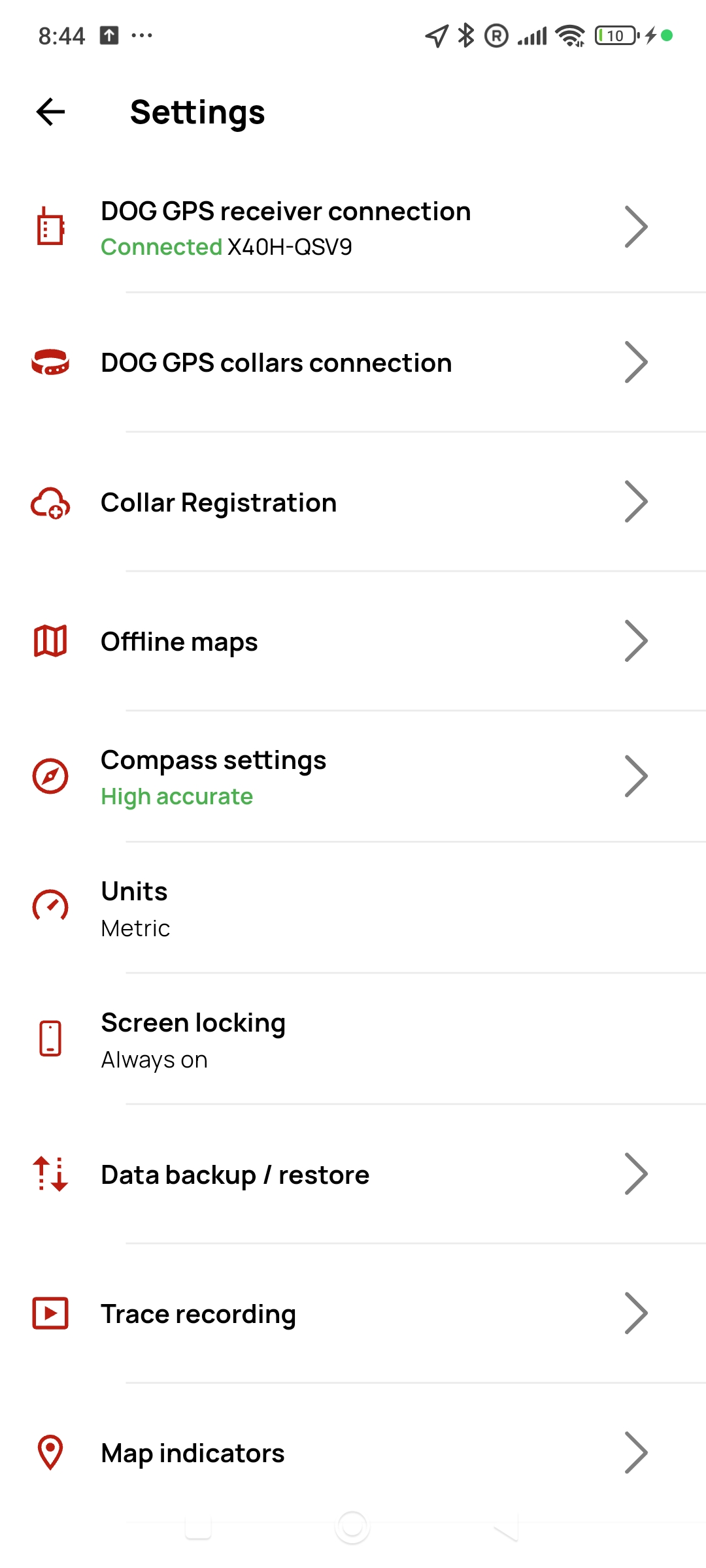
Settings
On this page, you can customize the app to your needs – from map appearance and units to data backup.
DOG GPS Receiver Connection
- Here you can connect and disconnect devices. All available DOG GPS devices are displayed here.
- Devices are searched via Bluetooth.
Only for DOG GPS X40 devices: If your controller does not have the latest firmware version, a button for updating will appear here.
DOG GPS Collar Connection
- Here you can connect and disconnect an X40 collar. All available X40 collars are displayed here.
- Devices are searched for via Bluetooth.
Collar Registration
- This function is available for X40 series collars.
- Registration links the collar to your account on the server.
- Collar registration is required to use the Cloud Range service.
Offline Maps
If you want to use the app offline, you need to download offline maps.
- Custom maps – you can upload your own maps in MBTiles format to the app.
- Download area – in the map, you can select which part of the map you want to download.
- Download by country – you can download the map by country. Some countries are divided into several parts.
Compass Settings
- The settings are the same as in the compass section.
Units
- Metric – uses meters, kilometers, kilograms (standard European units).
- Imperial – uses feet, miles, pounds (Anglo-Saxon units, e.g., for USA/UK).
Screen Timeout
- Always on – the display will remain on while using the app and will not turn off.
- System default – screen timeout follows your phone's settings (the display will turn off according to the system timer).
Backup / Restore Data
- Backup data – creates a backup of your data.
- Restore data – restores data from a backup.
Track Recording
- Permanent track recording – option to enable permanent track recording.
This feature may increase your device's battery consumption.
Map Indicators
General settings- Indicator size – set the indicator size according to your preferences, from smallest to largest.
- Track line thickness – determine how thick the line representing the dog's (device's) track will be.
- Bark line thickness difference – set the difference between the track line thickness and the bark line thickness.
- Icon style – choose from two options:
- Default – indicator with a device-type icon (dog/hunter) and the order number in the device list.
- Simplified – indicator is just a circle without an icon or number.
- GPS accuracy circle – a circle around the device shows the GPS accuracy.
- Name – choose whether the device name should be displayed on the map.
- Speed – shows the current movement speed of the device on the map.
- Distance – shows the distance of the device from your position.
- Name – show or hide the waypoint name on the map.
- Distance – show the distance of the waypoint from your position.
- GPS accuracy circle – a circle around your position shows GPS accuracy.
- Compass direction and accuracy – shows the direction your phone is currently facing and compass accuracy.
- Movement direction indicator – shows the direction you are currently moving.
Don't be afraid to experiment with the settings – everything can be reset at any time using the Restore default settings option!
Dog List
Dog list settings- Row size – choose between two display modes for the list:
- Compact – all device information is on one row.
- Expanded – information is split into two rows for better clarity.
- Distance – shows the distance of the device from your current position.
- Speed – shows the current movement speed of the device.
- Bark intensity – shows the barking level (3 intensity levels).
- Battery status – shows the current battery status of the device.
- RF signal strength – shows the radio signal strength between the device and the controller.
- GPS position accuracy – shows the quality of the device's GPS signal.
- Above the device list is a control panel with quick actions. You can choose which options to keep in the panel and which to hide.
Don't be afraid to experiment with the settings – everything can be reset at any time using the Restore default settings option!
Smartwatches
The app is compatible with Apple Watch and Garmin watches. To install the app on your watch, follow the instructions in the Dogtrace GPS 2.0 mobile app.
Send Feedback
Send us your feedback using this form – you can send praise, improvement ideas, or report a bug.
About the App
Information about the app.