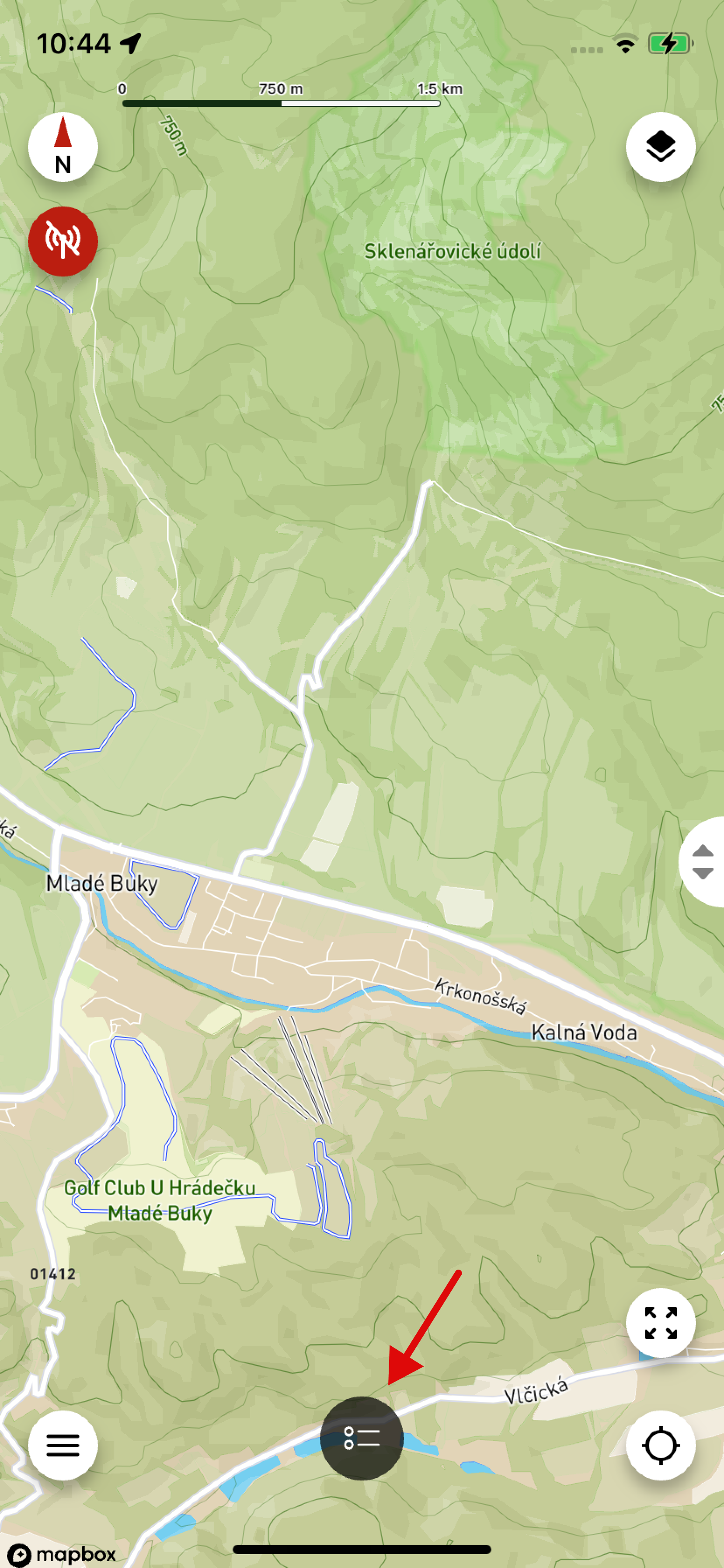
Device List
- You can access this screen by clicking the icon in the center of the bottom bar (see arrow in the image).
- Here you will see a list of all paired devices – collars and controllers.
- Above the list is a scrollable row with the control panel.
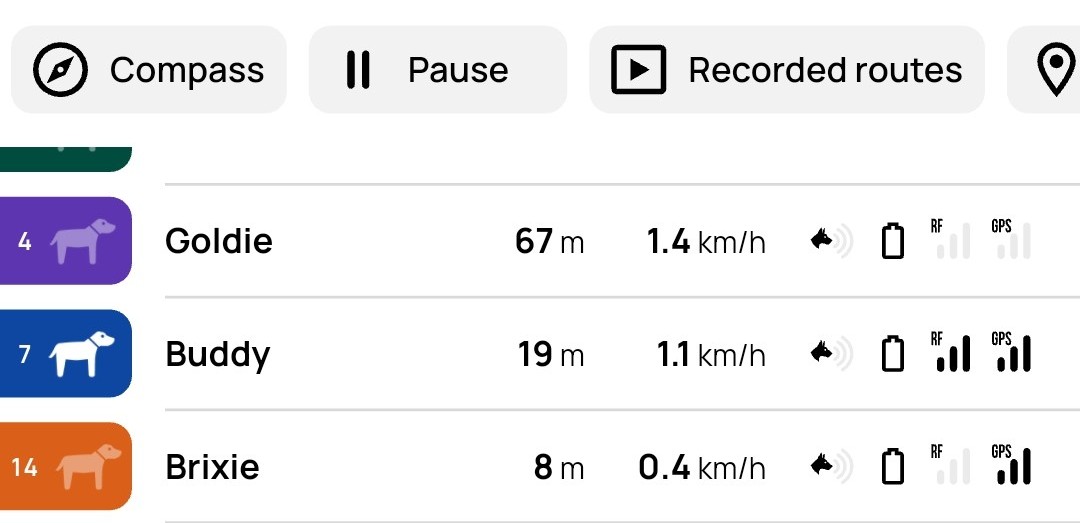
Details in the dog's row, from left to right:
- Number – the dog's position in the controller.
- Dog icon – White means the app is regularly receiving data from the device. Grayed out means the app has not received new data for more than 1 minute and 20 seconds.
- Dog name
- Distance – distance of the dog from the controller or user.
- Speed – the dog's current movement speed.
- Dog barking – indicates that the dog is barking.
- Battery status – the device's current battery charge level.
- RF signal – strength of the radio connection to the collar.
- GPS signal – quality of the collar's GPS signal.