Starting the Collar
X30
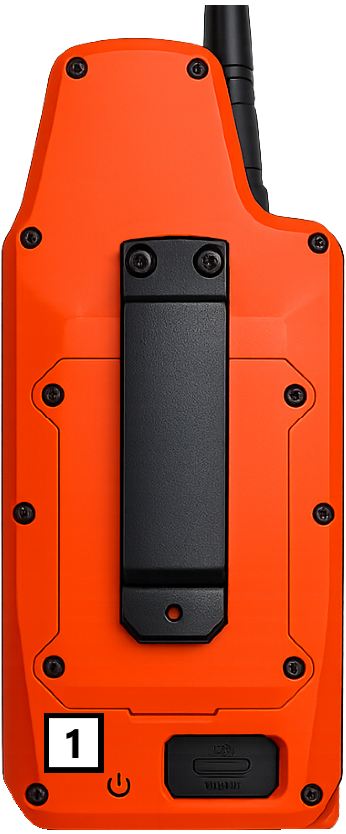
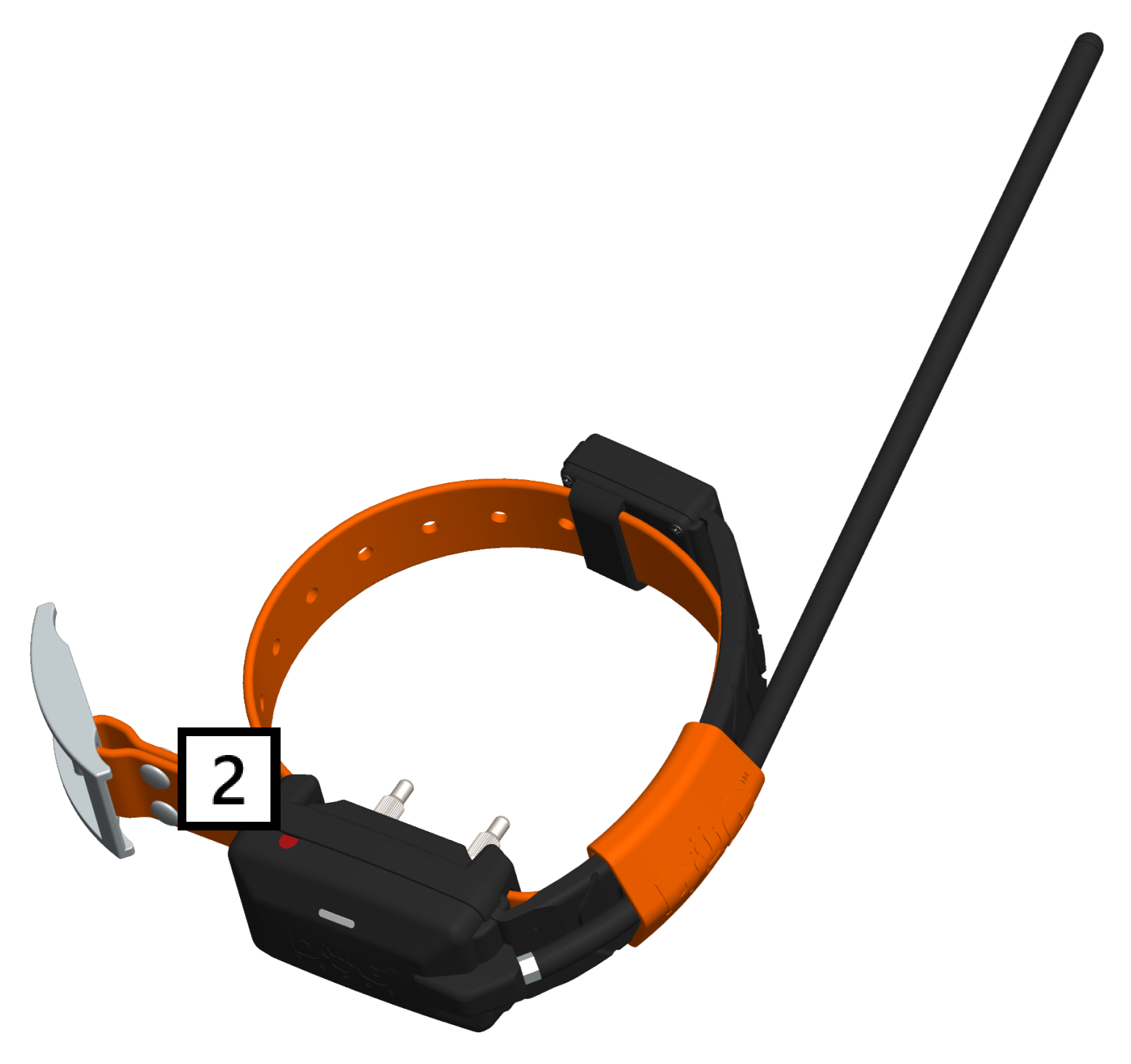
1. Place the bottom part  of the controller against the red target
  on the collar.
2. Hold them together until the collar flashes from red to green.
3. Make sure the collar is flashing 🟢 green – this means it's ready to use.
🟡 Yellow flashing indicates that the battery is partially drained and should be recharged as soon as possible.
🔴 Red flashing indicates that the battery is almost dead and needs to be charged as soon as possible.
X40
Turning on
1. Press and hold the button for approximately 3 seconds. The 🔴 red indicator LED on the collar lights up.
2. After a moment, the 🔴 red LED changes to 🟢 green. Release the button at this point. A rising tone sounds while the collar is turning on.
Turning off
Follow the same procedure as when turning the collar on.
1. Press and hold the button for approximately 3 seconds. The 🟢 green indicator LED on the collar lights up.
2. After a moment, the 🟢 green LED changes to 🔴 red. Release the button at this point. A falling tone sounds while the collar is turning off.
The collar can also be turned off (but not turned on) from the X40 GPS controller: Menu → Device settings → Dog name → Turn off collar